AgentLaire AI Dashboards
Describe a dashboard.
Act on what it shows.
AgentLaire AI Dashboards turns a sentence into live tiles from your Odoo data. Then ask the agent to explain a number or draft the next step.
$199 one-time · Needs AgentLaire AI Agents · Odoo 18, 19 and 20 · Community · Self-hosted

Shown with AgentLaire Backend Theme
How it works
From a sentence to a shared dashboard
- 1DescribeAsk from the Dashboards menu or in agent chat. While it builds, the model sees field names, not your records.
- 2RefineTalk to it like a colleague. Each change edits the dashboard, never your data.
- 3Save and shareShare with a group. Every viewer sees only what their Odoo rights allow.
Explain this
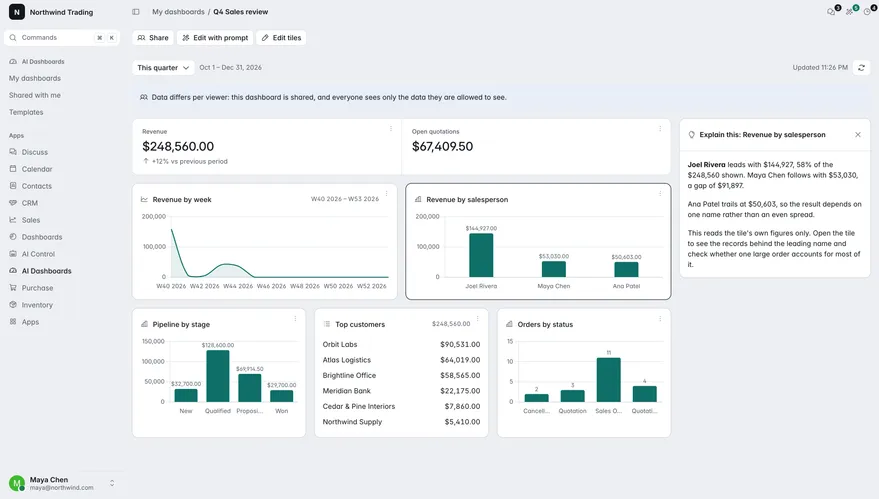
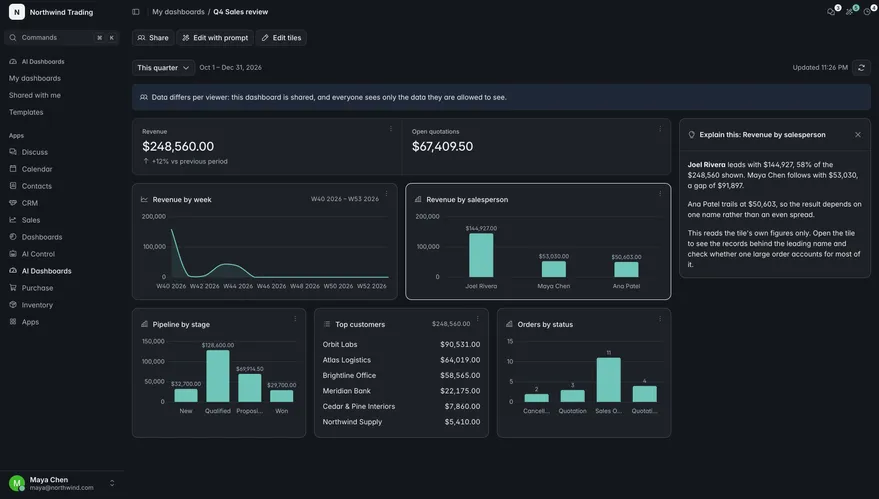
Ask why a number moved
The agent compares periods, drills down and shows the queries it used. It never changes a record.
Ask the agent
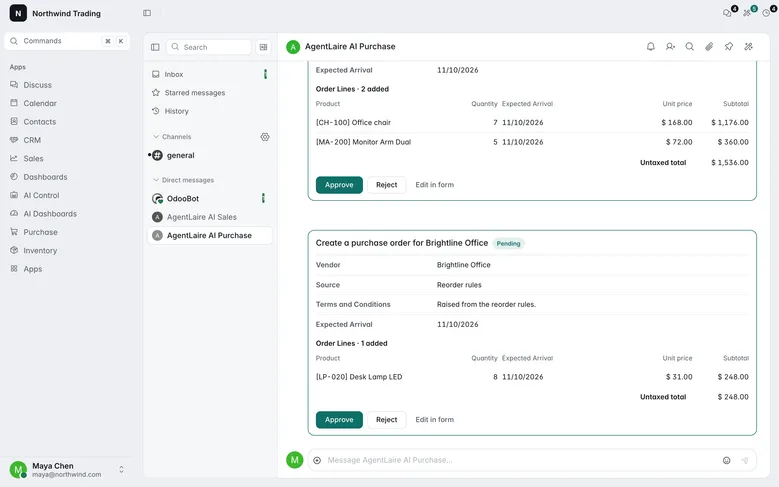
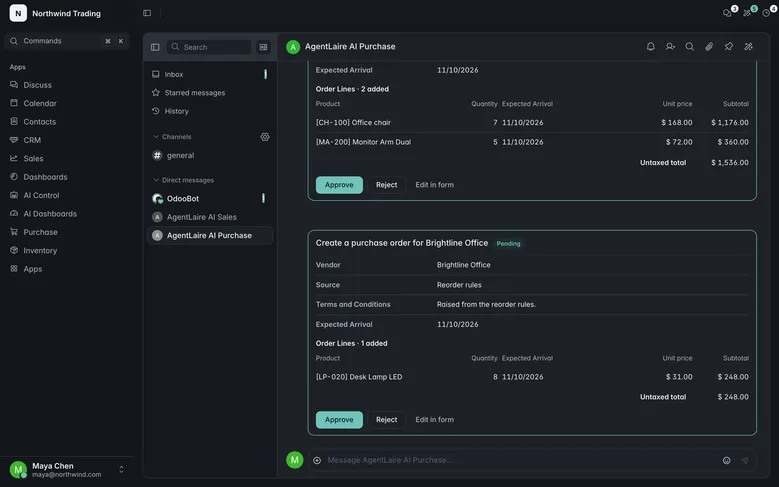
From a tile to a proposal
Open chat with the tile as context. From “Below minimum stock”, ask for RFQs. Changes wait for your approval.
Privacy
Shared dashboards. Never shared data
- Queried as the viewer
- Totals can differ between viewers. Shared dashboards say so.
- Field names by default
- Creating a dashboard sends only field names. “Explain this” sends totals only, and an admin can switch it off.
- Your model, or a local one
- No AgentLaire server in between for model calls. With a local model, they stay on your own server.
- No SQL tiles
- By design. Every tile goes through Odoo’s security.
Templates
Start from a template
- Sales overview
- Revenue against the previous period, by salesperson, pipeline by stage, top customers, quotes drafted by AI.
- Purchasing & stock health
- Below minimum, late receipts, spend by vendor, open RFQs, reorder proposals waiting on you.
Compared
Not another dashboard builder
Checked against the Dashboard Ninja with AI listing on the Odoo Apps Store, Nov 2026.
| Feature | Dashboard Ninja with AI | AgentLaire AI Dashboards |
|---|---|---|
| AI runs on | The vendor’s AI server | Your provider or a local model |
| Refine by conversation | Not listed | Yes |
| Explain a number | Not listed | Yes, with the queries used |
| Act from a tile | No | Yes, behind your approval |
| Custom SQL tiles | In higher tiers | No, so record rules always apply |
| Odoo versions | Up to 20 | 18, 19 and 20 |
| Price | $579.40 | $398 |
AI runs on
Dashboard Ninja with AI: the vendor’s AI server
AgentLaire: your provider or a local model
Act from a tile
Dashboard Ninja with AI: no
AgentLaire: yes, behind your approval
Custom SQL tiles
Dashboard Ninja with AI: in higher tiers
AgentLaire: no, so record rules always apply
Odoo versions
Dashboard Ninja with AI: up to 20
AgentLaire: 18, 19 and 20
What you need
Three modules, one checkout
The Apps Store adds the ones you don’t have yet.
- Required, freeAgentLaire AI ControlFree
- RequiredAgentLaire AI Agents$199
- This moduleAgentLaire AI Dashboards$199
Templates come with AgentLaire AI Sales & CRM and AgentLaire AI Purchase.
Add the AgentLaire Backend Theme $199 · Recommended
With the theme, approval cards, chat and dashboards share one look in light and dark. It also works on its own.
Using Odoo Enterprise or Odoo.sh? Support is coming. Join the waitlist.
Ask your Odoo for a dashboard
Needs AgentLaire AI Agents and the free AgentLaire AI Control. The Apps Store adds them at checkout.