AI Purchase
Last updated
AgentLaire AI Purchase (agentlaire_pack_purchase_stock, listed as AI Purchase & Inventory in the module list) gives purchasing and stock teams an agent that watches reorder rules, receipts and vendor prices. It is a paid module, $99 one-time per Odoo version, and needs AgentLaire AI Agents, Purchase and Inventory. See the product page.
What does the pack add?
Section titled “What does the pack add?”AgentLaire AI Purchase adds a focused agent, AgentLaire AI Purchase, with four skills. It also adds the skills to the default agent AgentLaire AI when it exists. It adds two schedules that are switched off, three tiles on the Overview, and the Purchasing & stock health dashboard template.
| Skill | What it does |
|---|---|
| Reorder check | Compares reorder rules with stock and open orders, and proposes RFQs |
| Stock and receipts | Answers questions about stock on hand, moves and receipts |
| Late receipts | Proposes a reminder on purchase orders whose receipts are late |
| Vendor comparison | Compares vendors for a product, read-only |
After install the skills show Disabled, and their policies are inactive. A manager enables each one with Enable on its form in AI Control › Configuration › Agents › Skills. Uninstalling the pack removes all of this.
The agent’s approvers are the Purchase managers. Every change is a proposal that waits for a person. See Approvals.
How does the reorder check work?
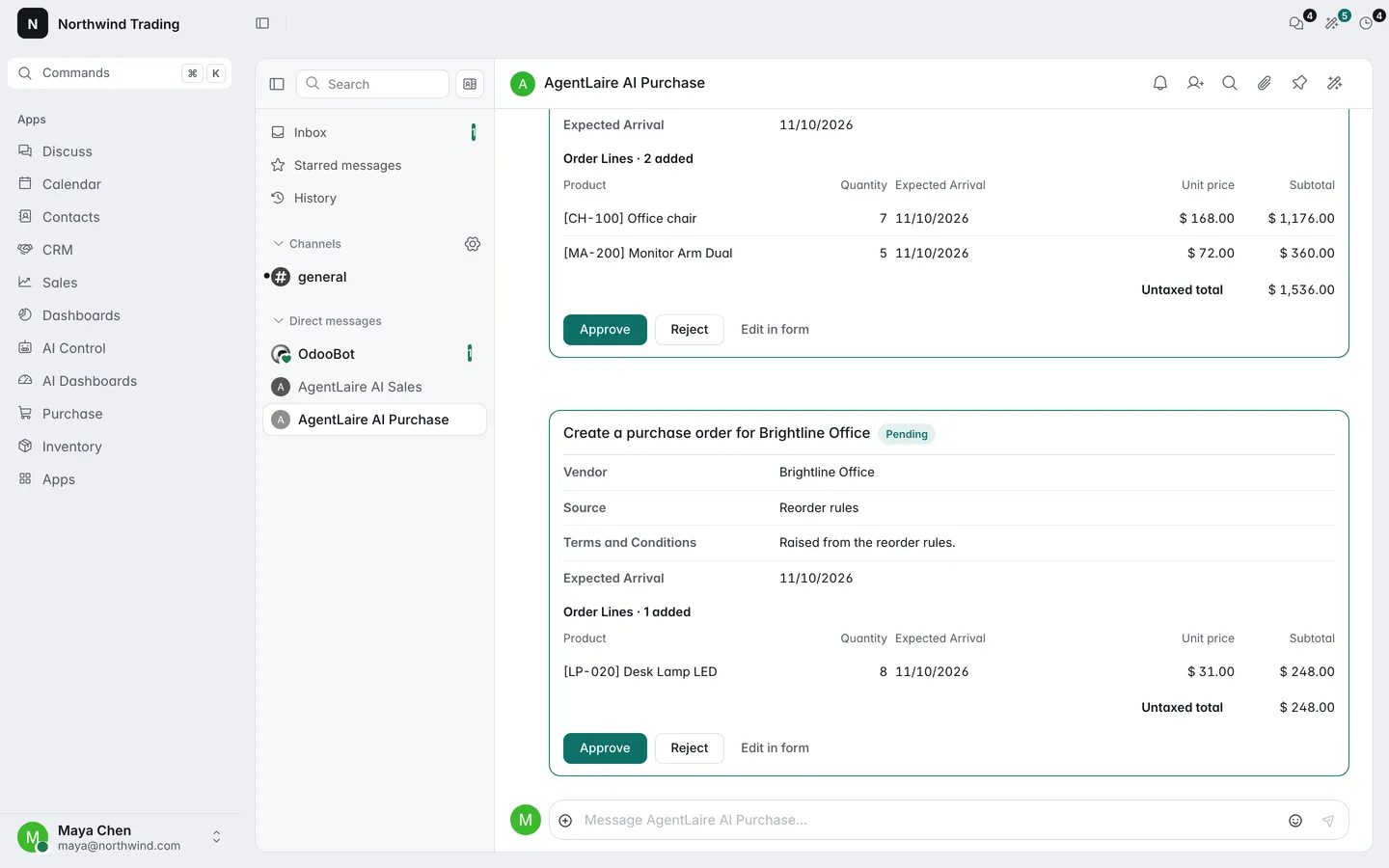
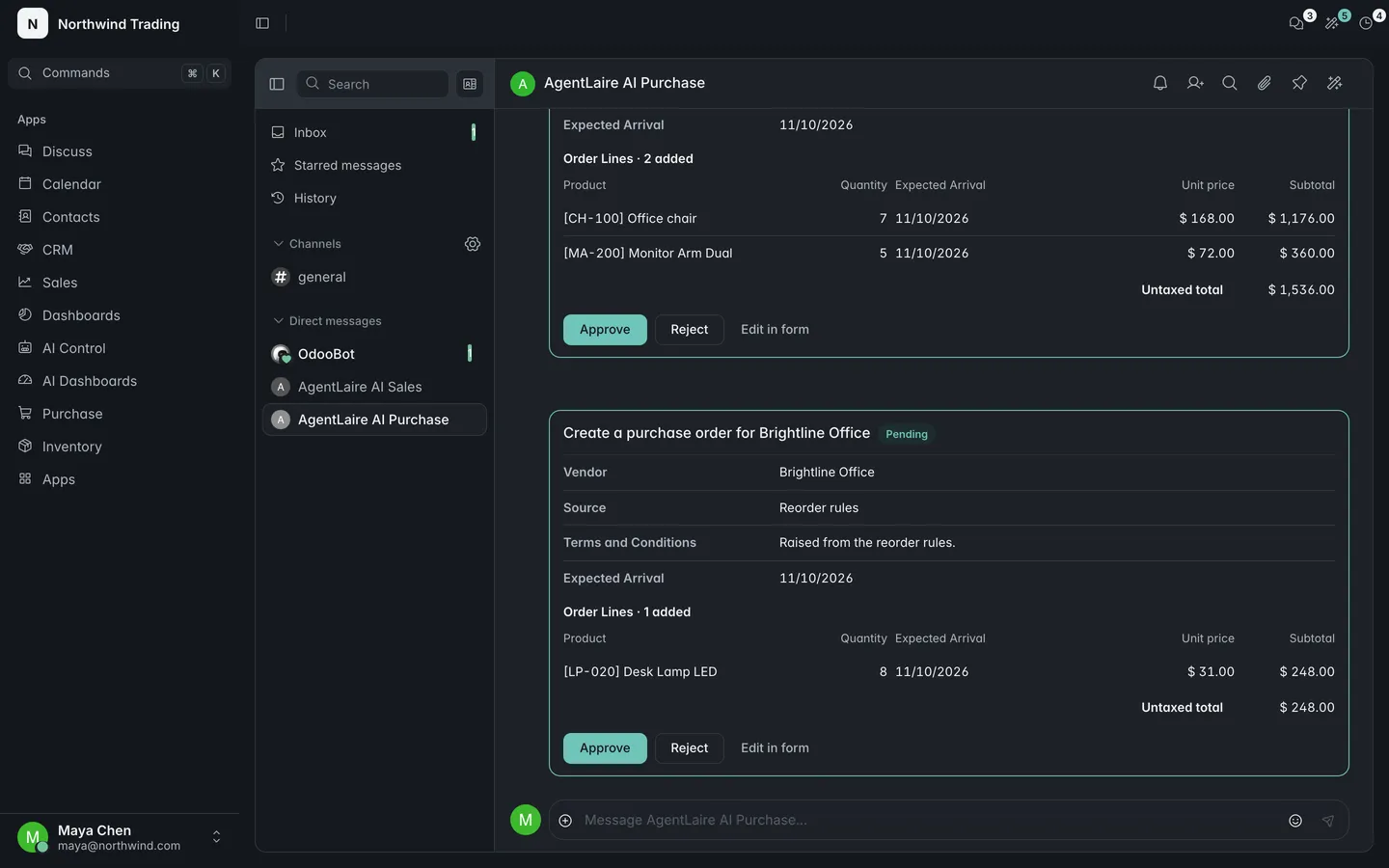
Section titled “How does the reorder check work?”AgentLaire AI Purchase compares reorder rules with stock on hand and open purchase orders, and proposes one RFQ per vendor for the products to order. It does not propose quantities already on open orders or in pending proposals. A product with no vendor is left out and listed in the answer, with a question about which vendor to use.
Each RFQ waits in the approval queue. If two products of one vendor are below their minimum with no open order, you get one RFQ with two lines. The agent never confirms an order.
To run it every day, switch on the schedule AI: reorder check (see the table at the end). You can also ask for it in the agent chat.
What does an RFQ proposal show?
Section titled “What does an RFQ proposal show?”AgentLaire AI Purchase shows, on the proposed RFQ, each line’s unit price as Odoo would set it from the vendor’s price list for that quantity and date, the line subtotal and the untaxed total, in the order’s currency. Odoo computes these when the proposal is made. Approving does not write them: the RFQ is created with the price Odoo sets at that time, so a price list that changed in between wins. When a product has no price for that vendor, the line shows no unit price and the total is labelled as not complete.
The expected arrival shows as a date in your format, without the time.
How do late receipts work?
Section titled “How do late receipts work?”AgentLaire AI Purchase finds purchase orders whose receipts are past their scheduled date and not done, and proposes one reminder activity of the type “Late receipt” on each order. Several late receipts of one order give one reminder. It skips an order that already has a reminder planned or proposed, so a second run the next day proposes nothing while the first proposal is pending. When approved, Odoo writes the reminder and assigns it to the buyer.
It runs from the schedule AI: late receipts, or when you ask in chat.
Can I ask about stock and vendors?
Section titled “Can I ask about stock and vendors?”AgentLaire AI Purchase answers questions about stock on hand, stock moves and receipts, for example how many desks are in each warehouse. It also compares vendors for a product from past order lines and vendor price lists, such as which vendor was cheapest for chairs this year. Both are read-only, use searches and grouped reads, and show only what you may read.
What is the Purchasing & stock health template?
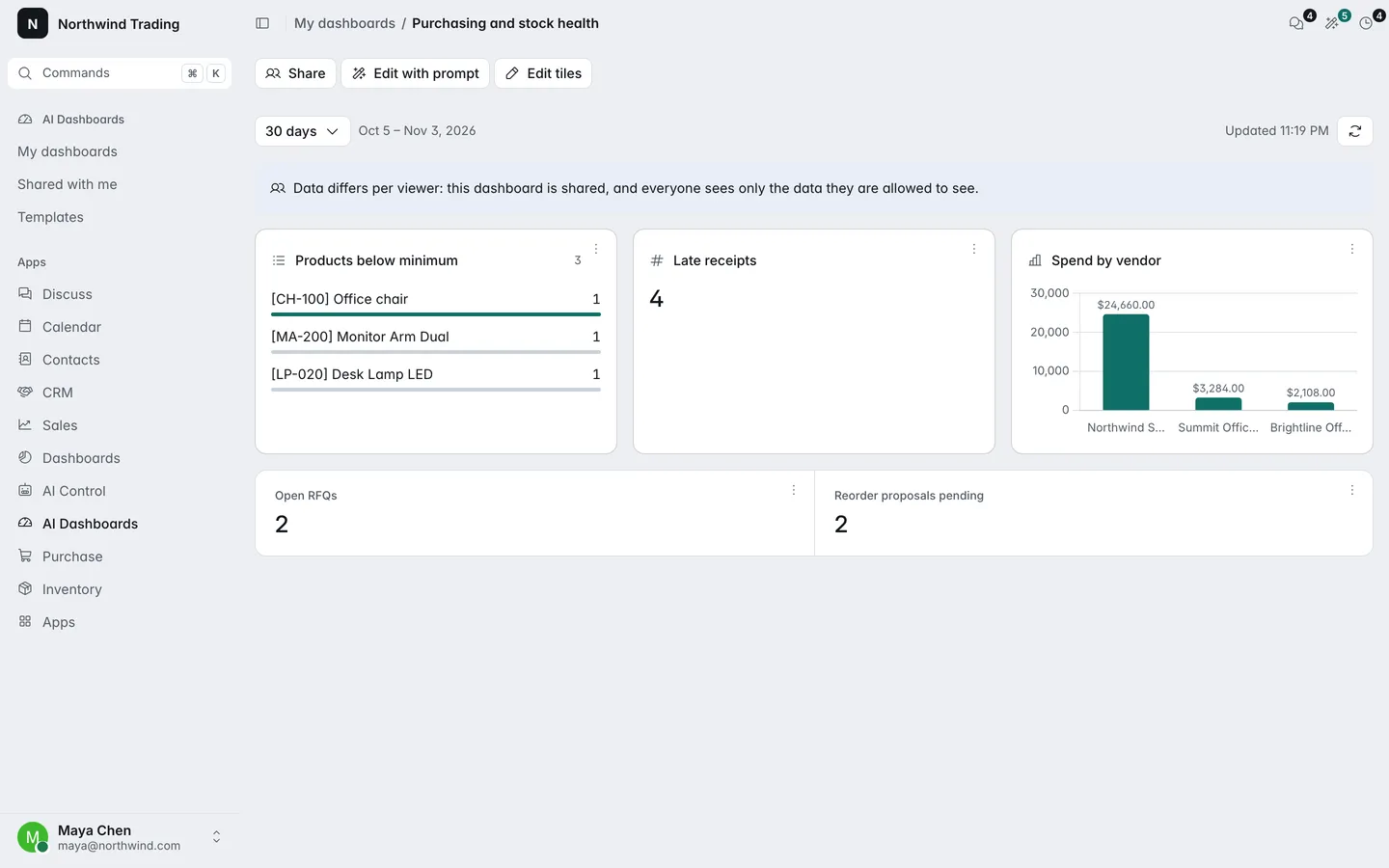
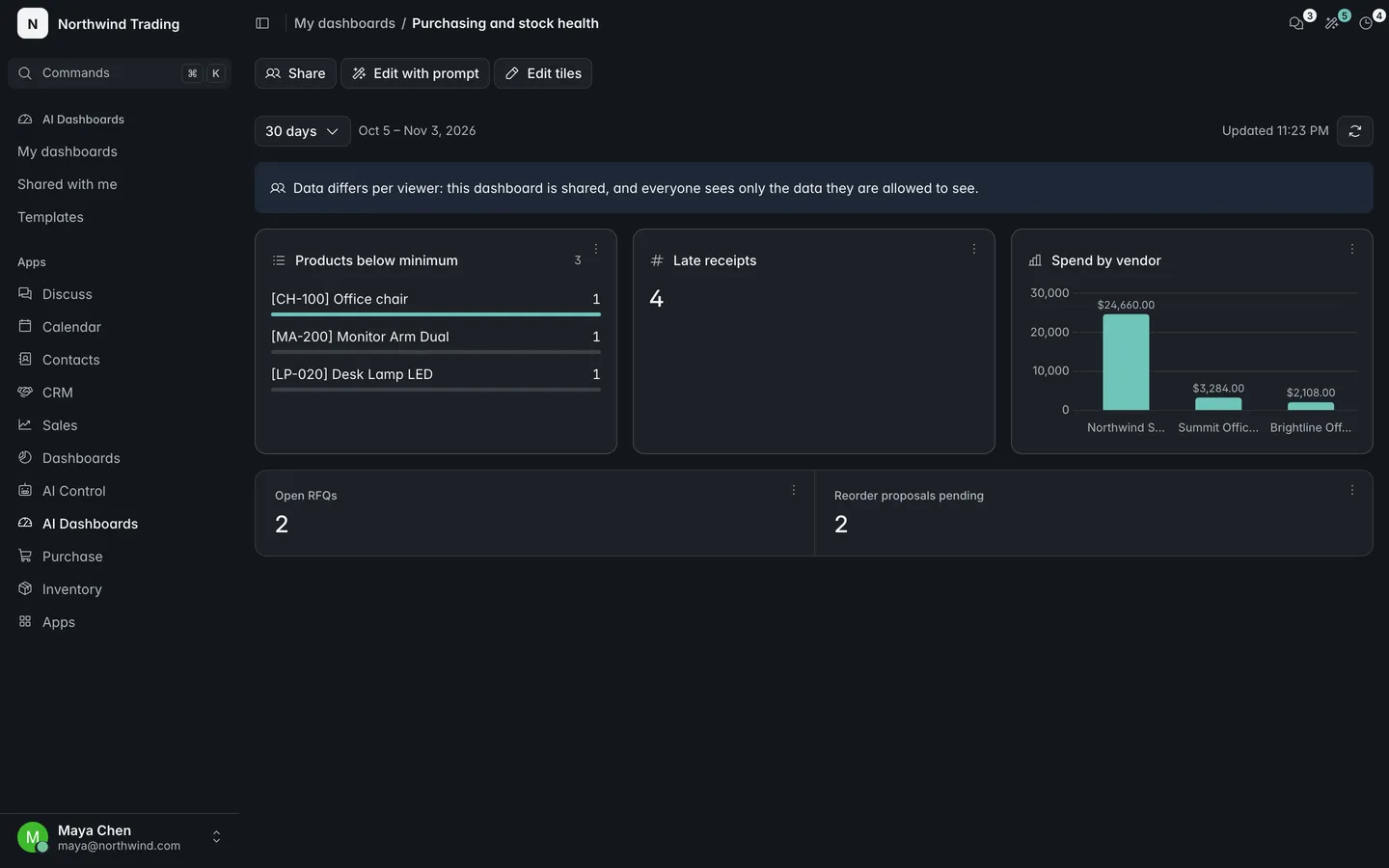
Section titled “What is the Purchasing & stock health template?”AgentLaire AI Purchase ships the Purchasing & stock health dashboard template for AI Dashboards. It shows products below minimum, late receipts, spend by vendor, open RFQs and reorder proposals pending. It appears under AI Dashboards › Templates once AI Dashboards is installed. The pack works without it.
From the Products below minimum tile you can choose Ask the agent and ask for RFQs. They appear as confirm cards, and nothing is created before approval.
What are the Overview tiles?
Section titled “What are the Overview tiles?”AgentLaire AI Purchase adds three tiles to AI Control › Overview, for purchase users with AI access: Reorder proposals, RFQs from AI and Late receipts.
What will it not do?
Section titled “What will it not do?”AgentLaire AI Purchase does not create an RFQ or a reminder until a person approves it. It does not confirm purchase orders, and it does not change stock or prices. It compares vendors without proposing a change, and it does not follow instructions written in names or notes of records.
What are the settings and schedules?
Section titled “What are the settings and schedules?”The pack has no settings screen. The two schedules are in AI Control › Configuration › Agents › Schedules.
| Setting | Default | What it does |
|---|---|---|
| AI: reorder check | Inactive, repeats every 1 day | Proposes one RFQ per vendor for the products below minimum |
| AI: late receipts | Inactive, repeats every 1 day | Proposes a reminder on purchase orders with late receipts |
| Run as | Administrator | The user the schedule runs as. Choose the buyer or the purchasing manager before you activate it |
| Skills, in AI Control › Configuration › Agents › Skills | Disabled | Enable each skill to switch on its tools and policies |
The form warns while a schedule still runs as the administrator. Provider, budgets and redaction come from AI Control.