AI Sales & CRM
Last updated
AgentLaire AI Sales & CRM (agentlaire_pack_sales) gives sales teams an agent that summarizes leads, drafts quotations and follow-ups, and answers pipeline questions. It is a paid module, $99 one-time per Odoo version, and needs AgentLaire AI Agents, CRM and Sales. See the product page.
What does the pack add?
Section titled “What does the pack add?”AgentLaire AI Sales & CRM adds a focused agent, AgentLaire AI Sales, with four skills. It also adds the same skills to the default agent AgentLaire AI when it exists. It adds an automation rule that is switched off, the Draft follow-up and Draft quotation buttons on the lead form, three tiles on the Overview, and the Sales overview dashboard template.
| Skill | What it does |
|---|---|
| Lead triage | Summarizes a lead and proposes one next activity |
| Quotation drafting (sales) | Proposes a quotation from a chat request or an email |
| Pipeline answers | Answers pipeline and sales questions |
| Follow-up drafts | Proposes a follow-up as an internal note on a lead |
After install the skills show Disabled, and their policies are inactive. A manager enables each one with Enable on its form in AI Control › Configuration › Agents › Skills. Uninstalling the pack removes all of this.
Every change the agent makes is a proposal that a person approves first. See Approvals.
How does the agent summarize a lead and suggest a next step?
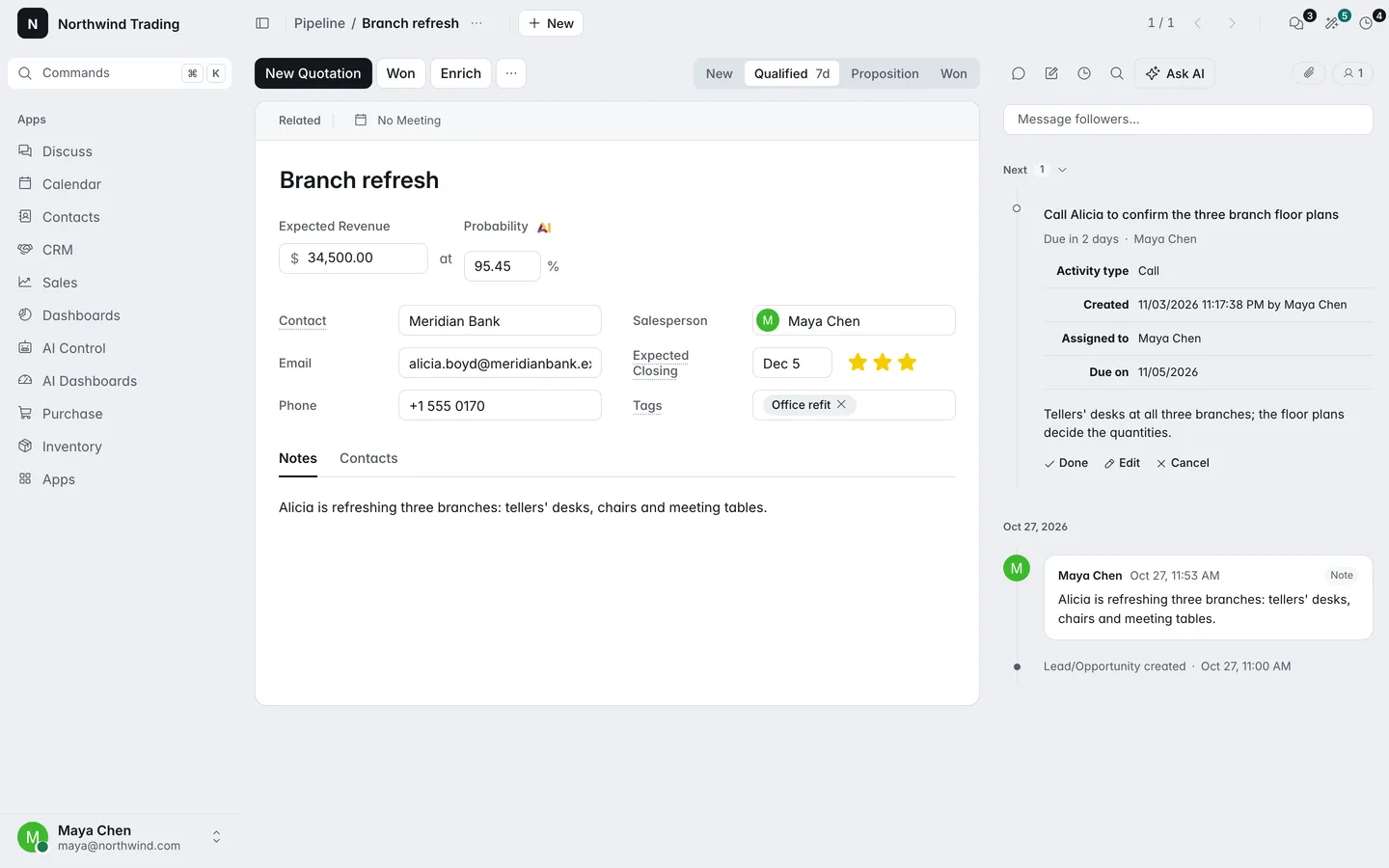
Section titled “How does the agent summarize a lead and suggest a next step?”AgentLaire AI Sales & CRM summarizes a lead in five lines: who, what they want, stage and value, last contact, and what needs attention. It reads the lead and its messages, then proposes exactly one next activity: a type, a short summary, a note and a due date. The note opens with the lead summary, so the summary shows on the lead once the activity is approved.
You can start it by hand from the agent chat. To run it on every new lead, switch on the rule AI: triage new leads:
- Turn on developer mode and open Settings › Technical › Automation › Automation Rules.
- Open AI: triage new leads and set it active.
The rule runs on lead creation, in the background, as the lead’s salesperson, up to 60 times an hour. Its prompt is editable. The run is marked tainted because it read the lead’s description, which comes from outside, and the agent is told never to follow instructions found in lead text.
How does the agent draft a quotation?
Section titled “How does the agent draft a quotation?”AgentLaire AI Sales & CRM drafts a quotation from a chat request such as “quote Acme 3 desks and 2 chairs”, or from an email in the chatter. It finds one customer and one product per line by name, and asks you which one when several match. Prices come from the price list, and a discount is set only when you ask for one.
A confirm card proposes the quotation, and nothing exists until a person approves it. On a lead, the Draft quotation button opens the chat with AgentLaire AI Sales over the lead with a prepared request.
How does the agent draft a follow-up?
Section titled “How does the agent draft a follow-up?”AgentLaire AI Sales & CRM drafts a follow-up as an internal note on the lead. It reads the lead and its messages, then writes a short follow-up in the language of the customer’s last message, asking for one next step. Click Draft follow-up on the lead to start it.
When a person approves the draft, the note is posted on the lead. Nothing is sent to the customer: the pack has no tool that sends an email.
Can I ask about the pipeline?
Section titled “Can I ask about the pipeline?”AgentLaire AI Sales & CRM answers questions about leads, orders and order lines with grouped reads: the pipeline by stage, salesperson, team or month, orders by customer, salesperson or month, and products sold. It answers with a short table that names the period and the filters. It sees only what you may see, so a salesperson restricted to their own documents gets counts of their own leads.
What is the Sales overview template?
Section titled “What is the Sales overview template?”AgentLaire AI Sales & CRM ships the Sales overview dashboard template for AI Dashboards. It shows revenue against the previous period, revenue by salesperson, the pipeline by stage, top customers and the quotes drafted by AI. It appears under AI Dashboards › Templates once AI Dashboards is installed. The pack works without AI Dashboards.
What are the Overview tiles?
Section titled “What are the Overview tiles?”AgentLaire AI Sales & CRM adds three tiles to AI Control › Overview, for sales users with AI access: Quotes drafted by AI, Leads summarized and Pipeline answers. They count over the Overview’s period.
What will it not do?
Section titled “What will it not do?”AgentLaire AI Sales & CRM does not send anything to a customer. It does not create a quotation, an activity or a note until a person approves the proposal. It does not read records you cannot read, and it does not follow instructions written in a lead or an email. A quotation is drafted, never confirmed.
What are the settings?
Section titled “What are the settings?”The pack has no settings screen. You set it up in these places:
| Setting | Default | What it does |
|---|---|---|
| Skills, in AI Control › Configuration › Agents › Skills | Disabled | Enable each skill to switch on its tools and policies |
| AI: triage new leads, in Settings › Technical › Automation › Automation Rules | Inactive | Summarizes each new lead and proposes one next activity |
| Rule prompt and hourly limit | 60 runs an hour | Edit on the rule’s action |
| Approvers, on the agent in AI Control › Configuration › Agents › Agents | AI Approvers | Who approves the agent’s proposals |
Provider, budgets and redaction come from AI Control.